

We just released Kubernetes Playground & Labs!
You can finally provision real Kubernetes clusters from inside LearnXops Desktop App — not a simulator, not a shared sandbox, but actual clusters running on your own machine via kind (Kubernetes IN Docker).
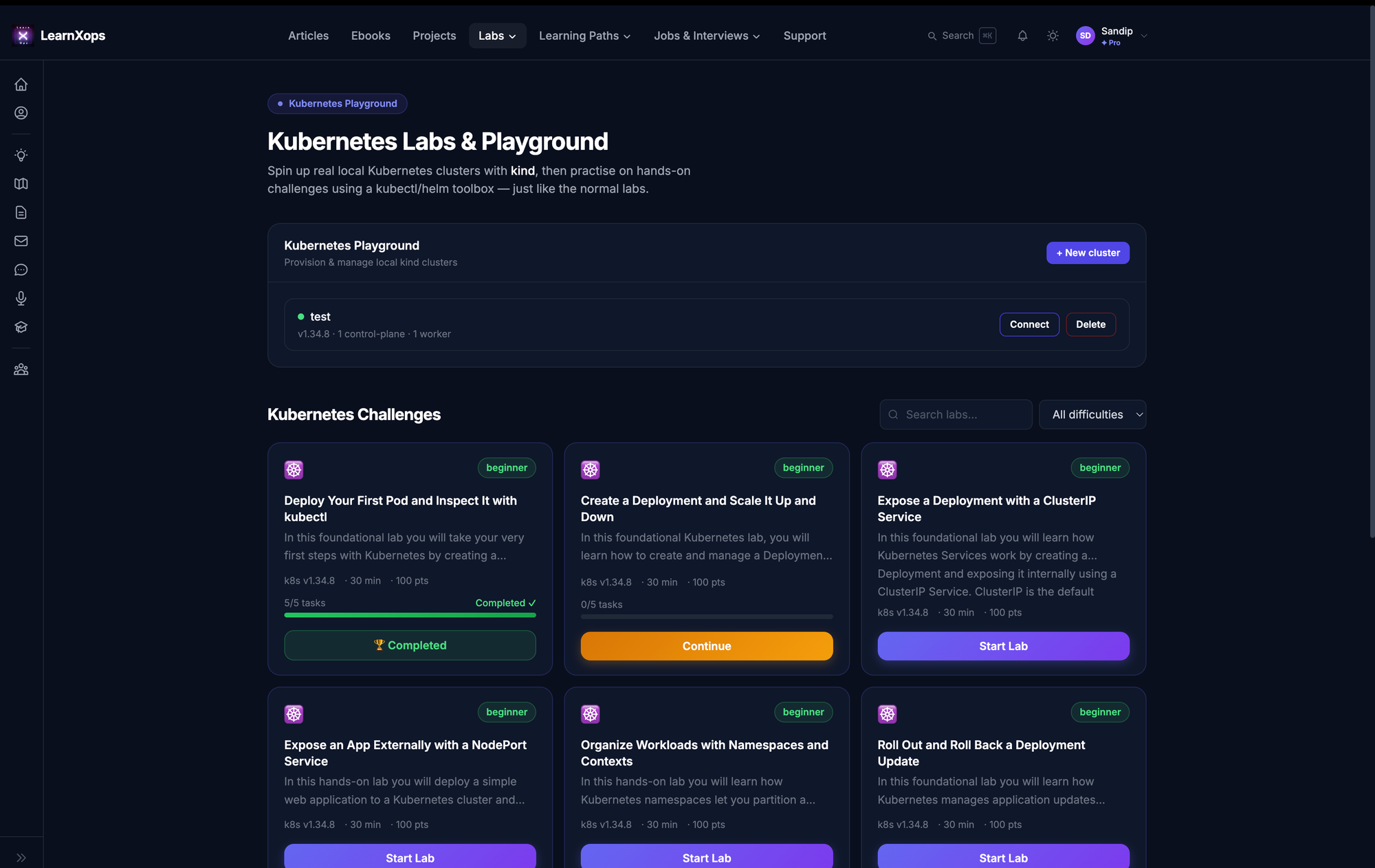
Open the Kubernetes Playground, click New cluster, and you get full control:
- Choose your Kubernetes version — anything from v1.29 up to the latest v1.36.
- Pick your topology — number of control‑plane nodes and worker nodes.
- Enable a LoadBalancer — real
type=LoadBalancerServices get an external IP via cloud‑provider‑kind. - Expose ingress ports to your host for HTTP/HTTPS.
Spin up as many clusters as you like, manage them all from one page, and connect to any of them — the same hands-on experience as our Docker labs, now for Kubernetes.
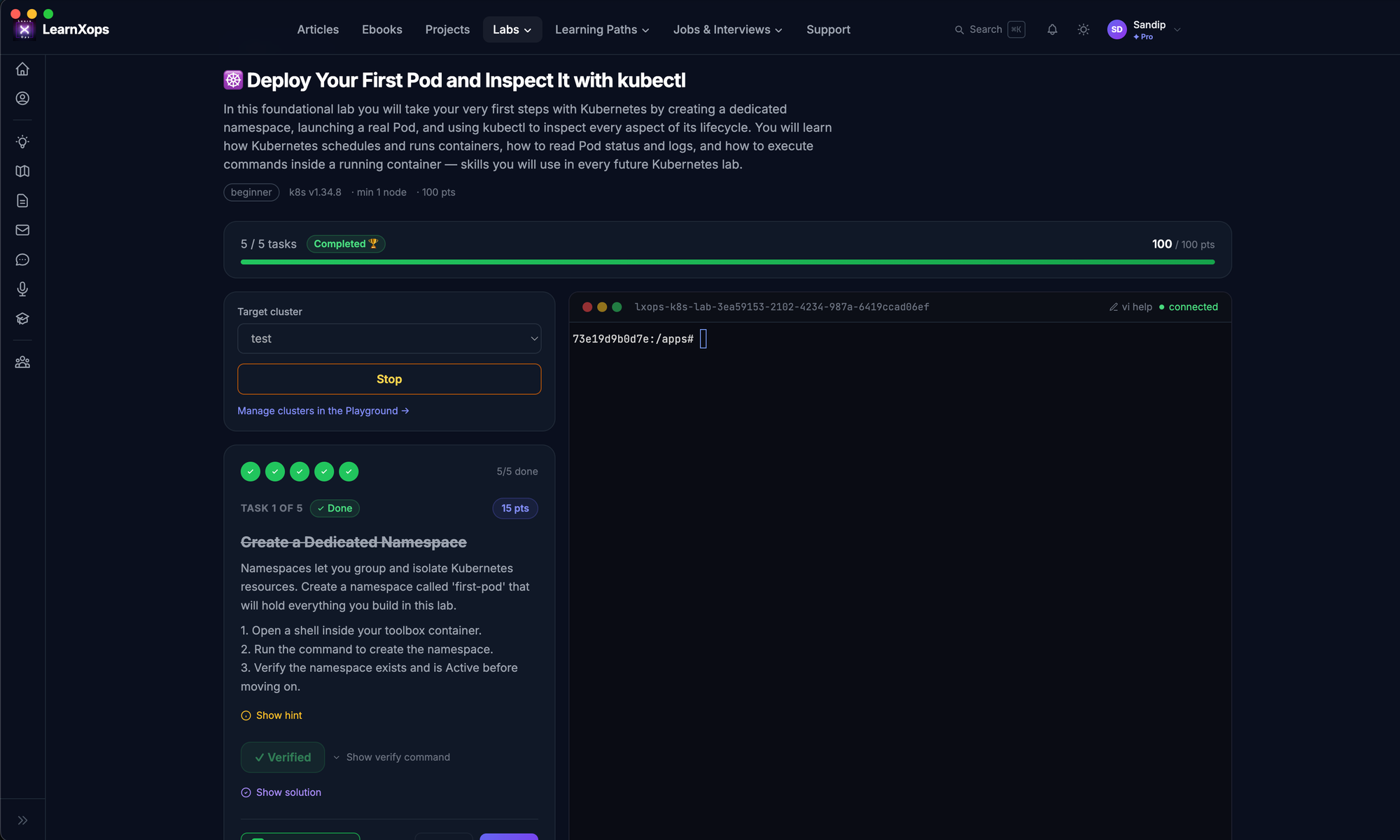
How it works — 3 steps
- Create a cluster in the Playground — choose the k8s version, nodes, and (optionally) a LoadBalancer.
kindis auto‑installed for you on first use. - Pick a lab below and hit Start Lab. It launches a kubectl/helm toolbox container wired straight to your cluster.
- Work through the tasks one at a time — commands and YAML are click‑to‑copy, and each task is auto‑verified with a real
kubectl/helmcheck. Earn points as you go.
The Full Lab Catalog
🟢 Beginner — Kubernetes Fundamentals
1. Deploy Your First Pod and Inspect It with kubectl Beginner · ~30 min · 100 pts ▶ Start Lab →
2. Create a Deployment and Scale It Up and Down Beginner · ~30 min · 100 pts ▶ Start Lab →
3. Expose a Deployment with a ClusterIP Service Beginner · ~30 min · 100 pts ▶ Start Lab →
4. Expose an App Externally with a NodePort Service Beginner · ~30 min · 100 pts ▶ Start Lab →
5. Organize Workloads with Namespaces and Contexts Beginner · ~30 min · 100 pts ▶ Start Lab →
6. Roll Out and Roll Back a Deployment Update Beginner · ~30 min · 100 pts ▶ Start Lab →
7. Inject Configuration with ConfigMaps Beginner · ~30 min · 100 pts ▶ Start Lab →
8. Manage Sensitive Data with Kubernetes Secrets Beginner · ~30 min · 100 pts ▶ Start Lab →
9. Label, Select, and Annotate Kubernetes Objects Beginner · ~30 min · 100 pts ▶ Start Lab →
10. Run a One-Off Job and a Scheduled CronJob Beginner · ~30 min · 100 pts ▶ Start Lab →
🟡 Intermediate — Production Patterns
11. Self-Healing Pods with Liveness and Readiness Probes Intermediate · ~30 min · 100 pts ▶ Start Lab →
12. Set Resource Requests and Limits (and Trigger an OOMKill) Intermediate · ~30 min · 100 pts ▶ Start Lab →
13. Persist Data with PersistentVolumeClaims and StorageClasses Intermediate · ~30 min · 100 pts ▶ Start Lab →
14. Run a Stateful Database with a StatefulSet and Headless Service Intermediate · ~30 min · 100 pts ▶ Start Lab →
15. Schedule Pods with NodeSelectors, Affinity, and Taints/Tolerations Intermediate · ~30 min · 100 pts ▶ Start Lab →
16. Restrict Pod-to-Pod Traffic with NetworkPolicies Intermediate · ~30 min · 100 pts ▶ Start Lab →
17. Lock Down a Pod with RBAC (ServiceAccount, Role, RoleBinding) Intermediate · ~30 min · 100 pts ▶ Start Lab →
18. Route HTTP Traffic with an Ingress Controller Intermediate · ~30 min · 100 pts ▶ Start Lab →
19. Expose a Service of type LoadBalancer (cloud-provider-kind) Intermediate · ~30 min · 100 pts ▶ Start Lab →
20. Install and Manage an App with Helm Charts Intermediate · ~30 min · 100 pts ▶ Start Lab →
🔴 Advanced & Expert — Operate Like an SRE
21. Author Your Own Helm Chart with Values and Templates Advanced · ~30 min · 100 pts ▶ Start Lab →
22. Autoscale Workloads with the Horizontal Pod Autoscaler Advanced · ~30 min · 100 pts ▶ Start Lab →
23. Run a DaemonSet Across All Nodes Advanced · ~30 min · 100 pts ▶ Start Lab →
24. Zero-Downtime Rolling Updates with maxSurge / maxUnavailable Advanced · ~30 min · 100 pts ▶ Start Lab →
25. Blue-Green and Canary Deployments by Hand Advanced · ~30 min · 100 pts ▶ Start Lab →
26. Build a Custom Resource and Reconcile It with an Operator (kubebuilder/CRD basics) Advanced · ~30 min · 100 pts ▶ Start Lab →
27. Harden Workloads with Pod Security Standards and SecurityContext Advanced · ~30 min · 100 pts ▶ Start Lab →
28. GitOps Deploy with Argo CD on kind Advanced · ~30 min · 100 pts ▶ Start Lab →
29. Debug a Broken Cluster: CrashLoopBackOff, ImagePullBackOff, and Pending Pods Advanced · ~30 min · 100 pts ▶ Start Lab →
30. Multi-Node Scheduling, Cordon, Drain, and Node Maintenance Expert · ~30 min · 100 pts ▶ Start Lab →
Why learners love it
- Real clusters, real
kubectl. - One task at a time. Clear instructions, copyable commands & YAML, a hint and a full solution when you're stuck.
- Auto-verification. Click Verify Task and a real cluster check tells you if you got it right.
- Your machine, your rules. Clusters and data never leave your laptop.
Ready to get hands-on?
☸️ Open the Kubernetes Playground →
Create your first cluster, start with Deploy Your First Pod, and build from there.
Requires the LearnXops desktop app. Don't have it yet? Download LearnXops →
Member discussion