

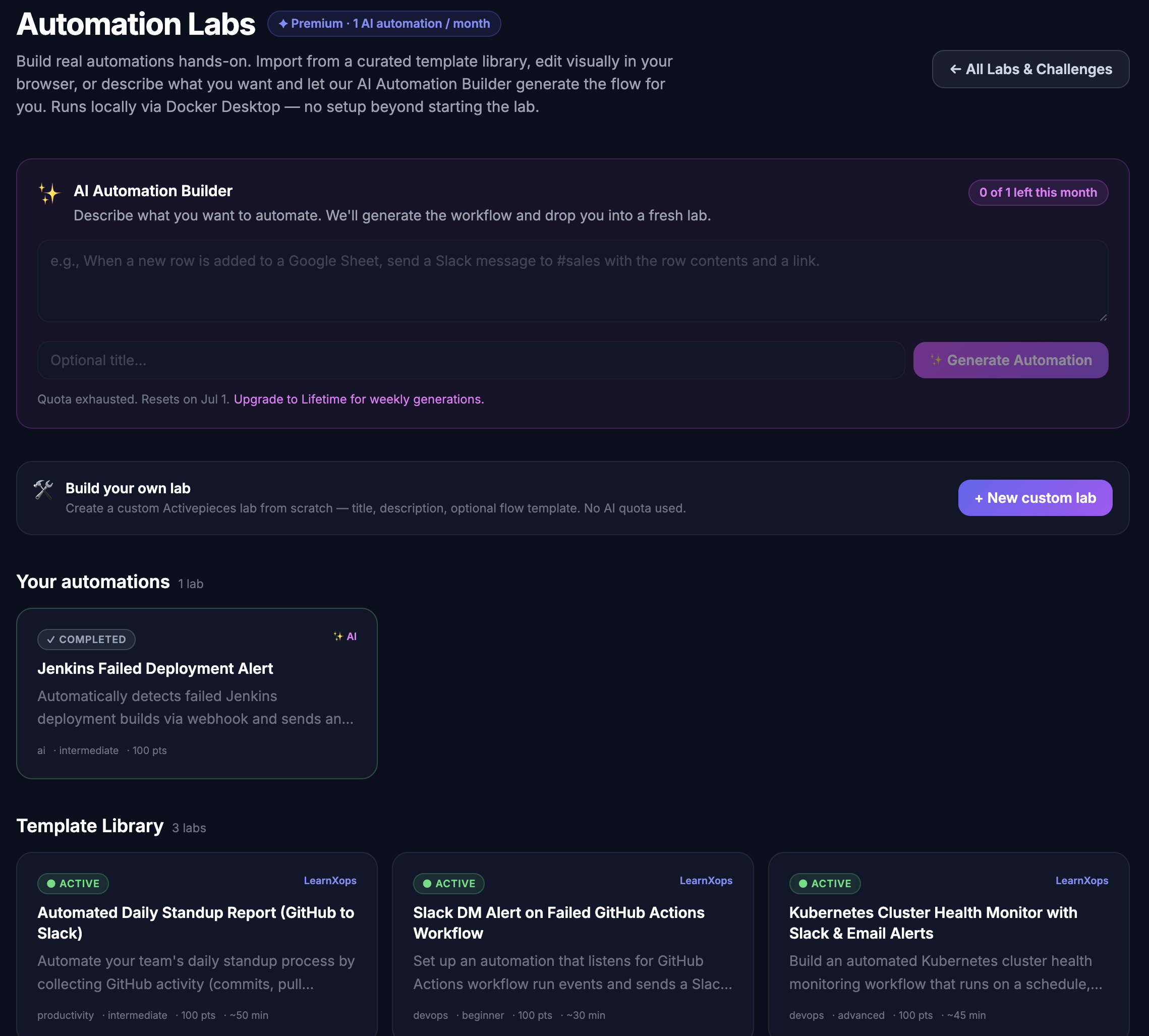
We just shipped one of the biggest additions to LearnXops so far.
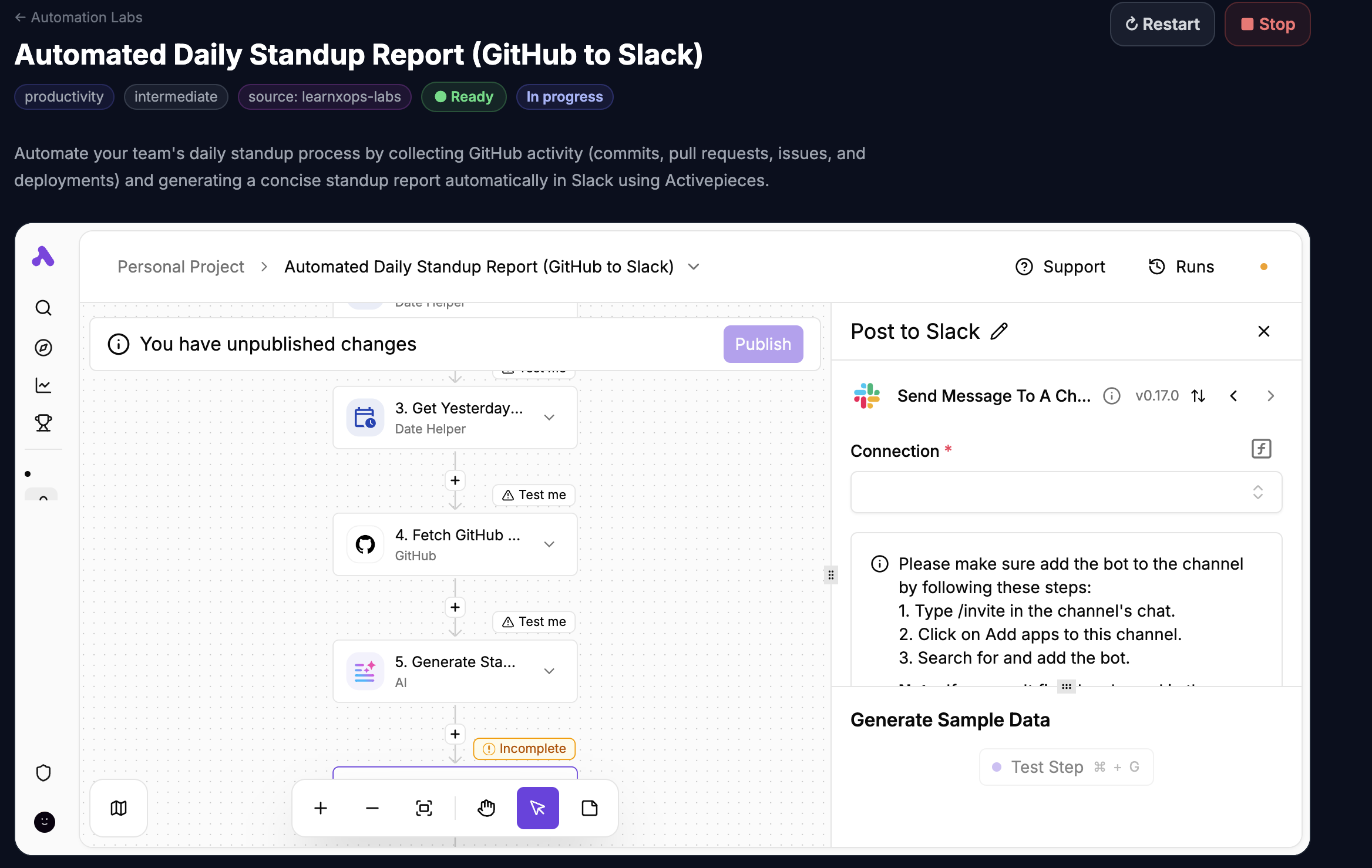
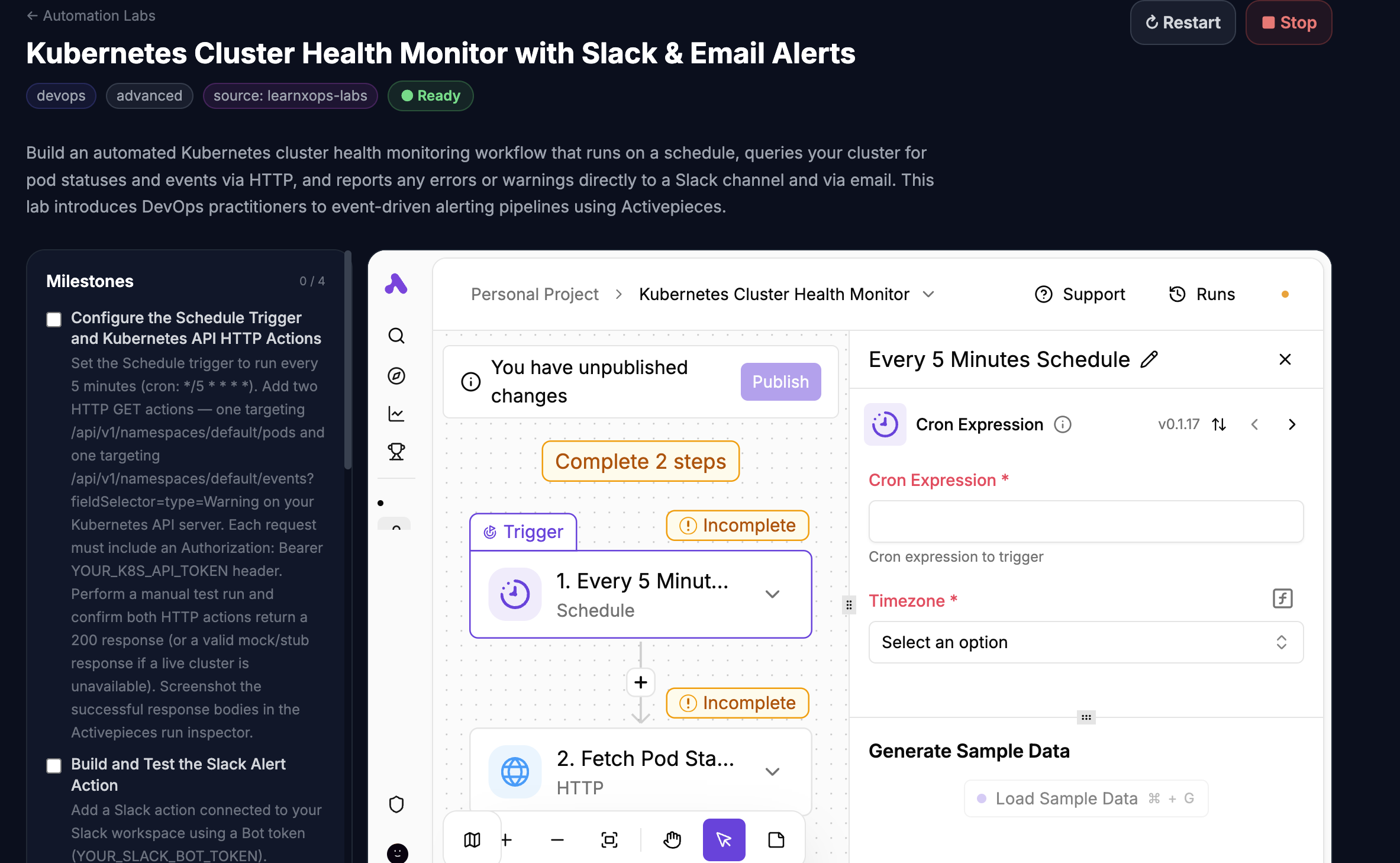
LearnXops Automation Labs lets you build real, runnable workflows the same way you build infrastructure in our existing LearnXops labs — except instead of a terminal, you get a full visual automation editor in the side of the lab. Connect triggers to actions, paste in real credentials, run a flow, watch it work.
Each lab spins up in a Docker container on your own machine. Your data stays local. No third‑party cloud, no shared workspace, no telemetry.
Three Ways to Get a Lab Started
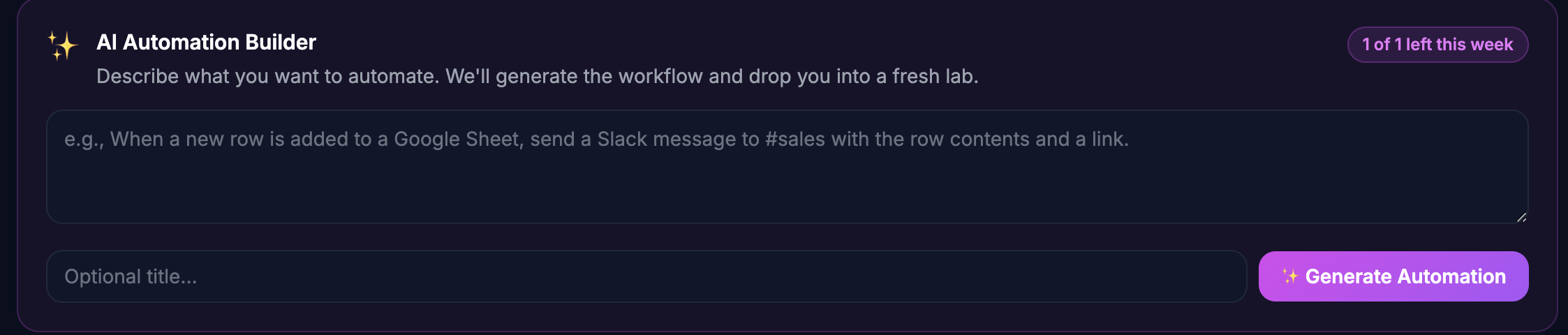
✨ 1. AI Automation Builder — Describe it, we generate it
Type what you want in plain English. Our AI generates a complete workflow — trigger, actions, and milestones — saved as a draft you can launch immediately.
"When a new lead is added to HubSpot, post a message to #sales in Slack with the lead details."
Quota: 1 generation per month for Premium · 1 per week for Lifetime members.
🛠️ 2. Build Your Own — Full manual control
Open the Create Custom Lab form, give it a title, optionally paste a workflow JSON, and you're done. No AI quota used. Lab lands in your "Your Automations" section, ready to launch.
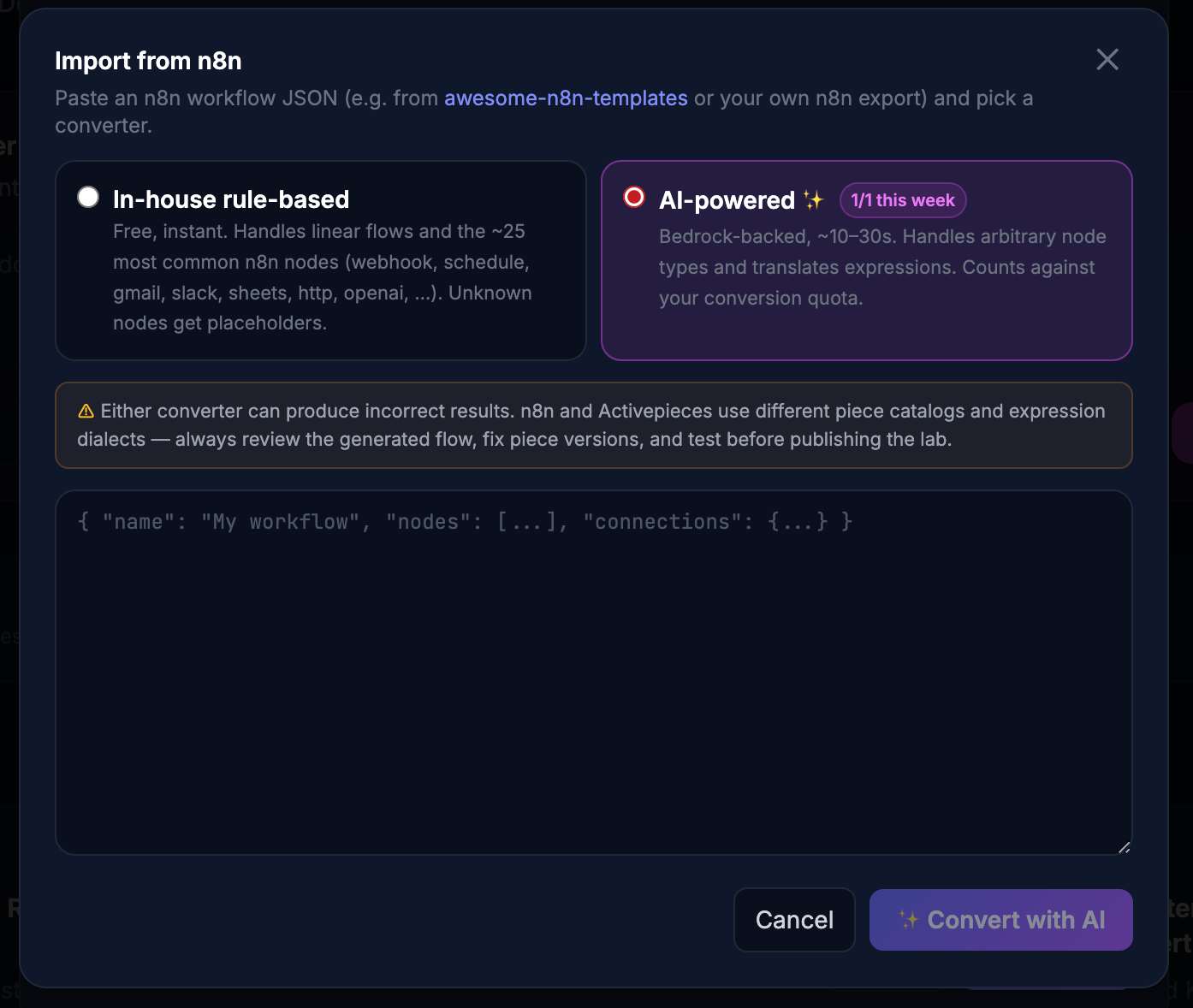
⤓ 3. Import from n8n — Bring workflows from anywhere
Have a workflow from awesome-n8n-templates, your own n8n instance, or an Export as Template from Activepieces? Paste the JSON and we convert it to a working lab.
Two converters to pick from:
- In‑house, rule‑based — instant, free, handles the ~25 most common nodes (webhook, schedule, gmail, slack, sheets, http, openai, …)
- AI‑powered — Bedrock-backed, handles arbitrary node types and translates expressions. Same monthly/weekly quota as the AI Builder.
How a Lab Runs
1. Pick a lab — Browse the Template Library, generate one with AI, or build your own custom challenge.
2. Click Start Lab — A Docker container boots on your machine, the workflow editor opens in seconds, and your chosen template (if any) auto-imports with credentials placeholders ready to fill in.
3. Build, run, repeat — Connect your own API keys, hit Run, watch the workflow execute against real services. Tick off milestones as you go. Your work persists across restarts in a local volume.
Mark Your Progress
Every lab now has milestones you can check off as you complete them, and a one-click Mark Lab as Complete button when you're done. Your progress sticks across devices — sign in anywhere, pick up where you left off.
Available on macOS, Windows & Linux
Automation Labs run inside the LearnXops desktop app — the same app that powers our existing Docker / Linux / Kubernetes / AI / MLOps labs. You need Docker Desktop installed locally (one-time setup).
What's Different About Our Approach
We thought hard about which engine to build on. We chose to ship our own integration of a workflow editor that runs entirely on your machine rather than wrapping a hosted service — so:
- Your data never leaves your laptop. Credentials, flow runs, logs — all local.
- You own what you build. Export it, fork it, take it with you when you change tools.
- No SaaS lock-in. The lab is just a container. You can spin one up outside LearnXops if you want.
Ready to Start?
Automation Labs are available for Premium and Lifetime members on the desktop app.
Don't have the desktop app yet? Download it here →
Not a Premium member yet? Upgrade here →
More automation challenge templates are landing every week — including a curated "LearnXops Labs" track of production-grade automations you can study and adapt. Stay tuned.
Questions? reach us at [email protected]
Member discussion